
Suggested articles
How to Change Subscription Plan
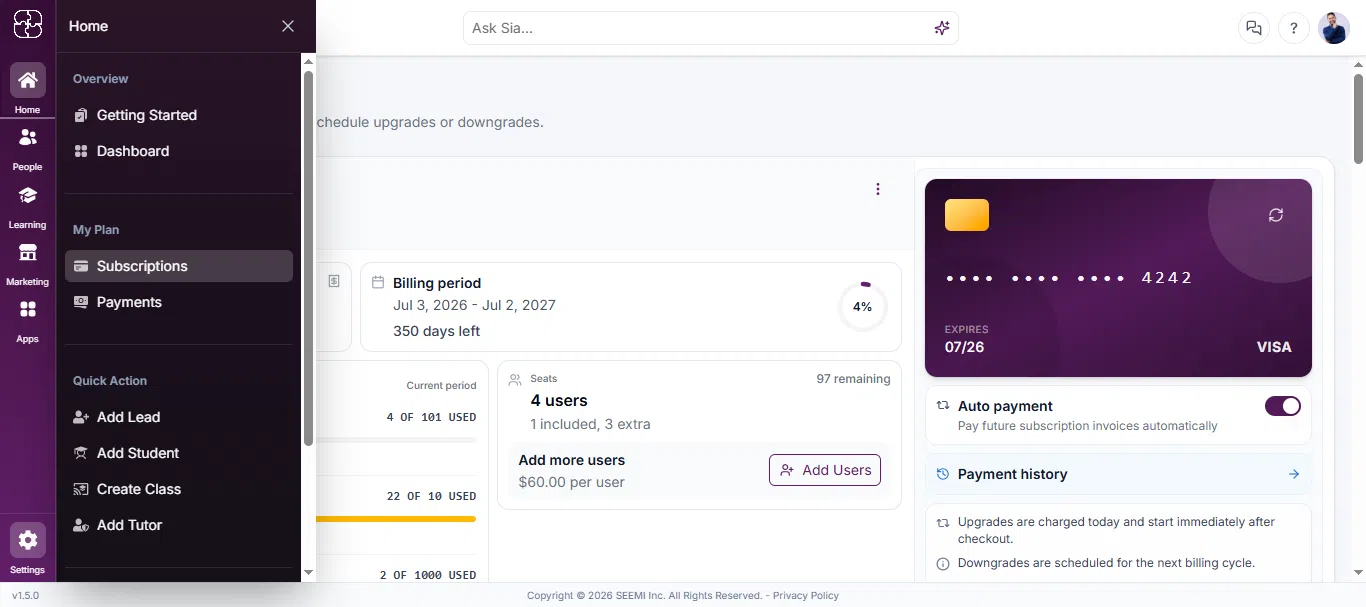
Step 1: Go to Subscription Settings
- Log into your Seemi CRM account.
- From the left sidebar, click Home.
- In the expanded menu, under My Plan, click Subscriptions.
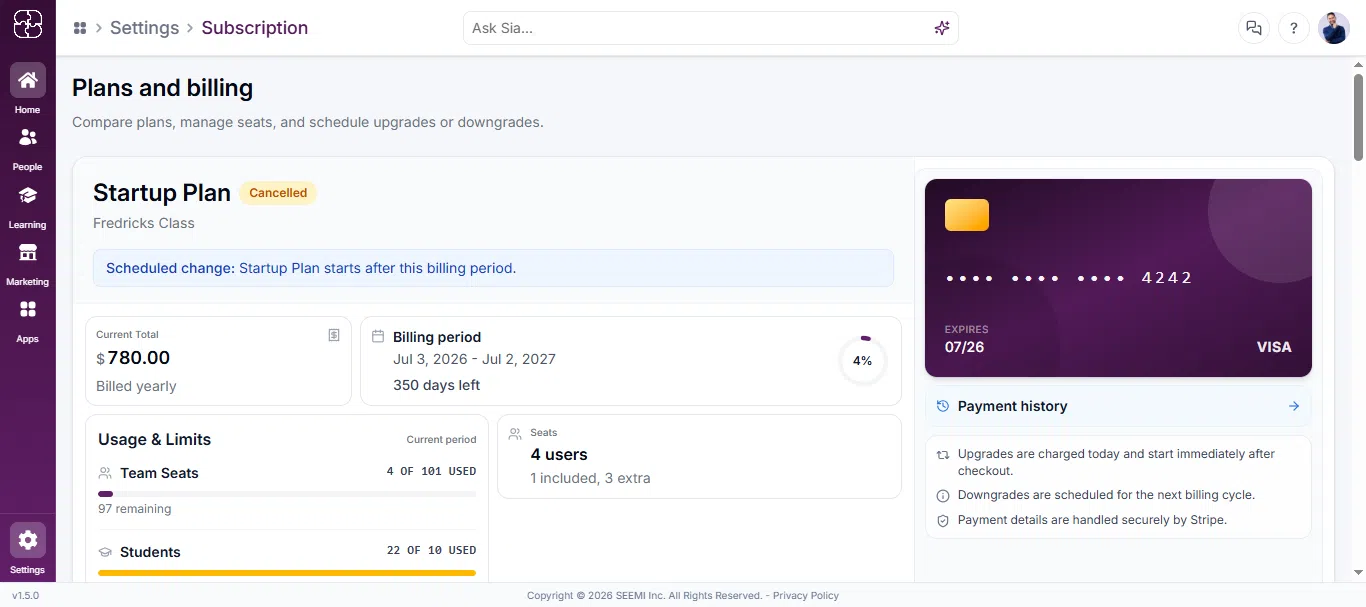
Step 2: Review Current Plan
You’ll see your current plan details on the right under Plan Details.
It includes:
Plan name (e.g., Free Trial)
Status (Active)
Period and days remaining
In the Startup Plan or other plan card, click the Upgrade Plan button.
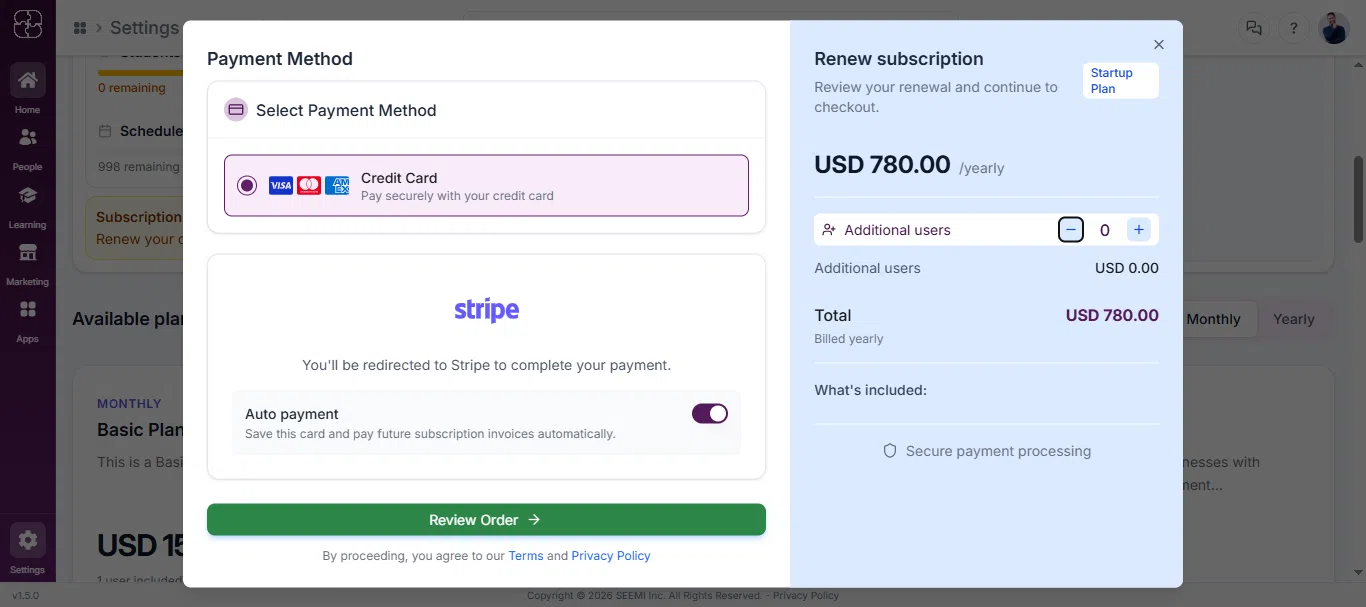
Step 3: Choose a Payment Method
In the next window, under Payment Method, select Credit Card.
Confirm number of employees and ensure the monthly total is correct.
Click Continue with Stripe.
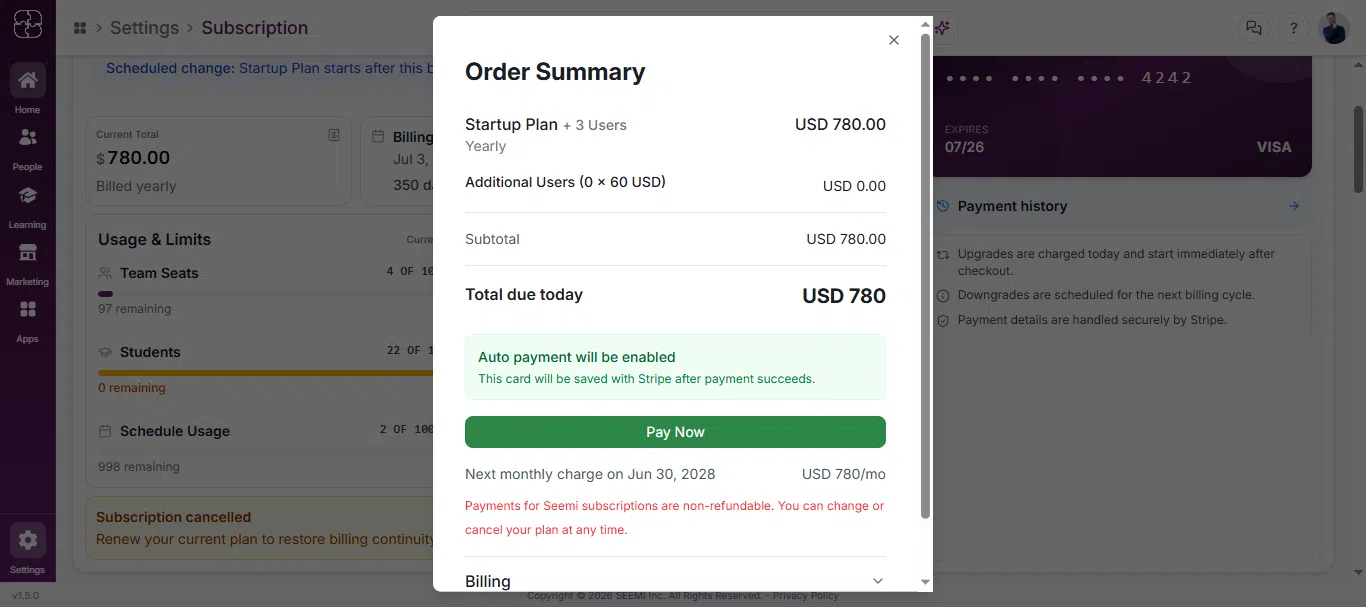
Step 4: Review Order Summary
A modal titled Order Summary will appear.
It shows:
Plan name
Total due today
Next billing date
Click Pay Now to proceed.
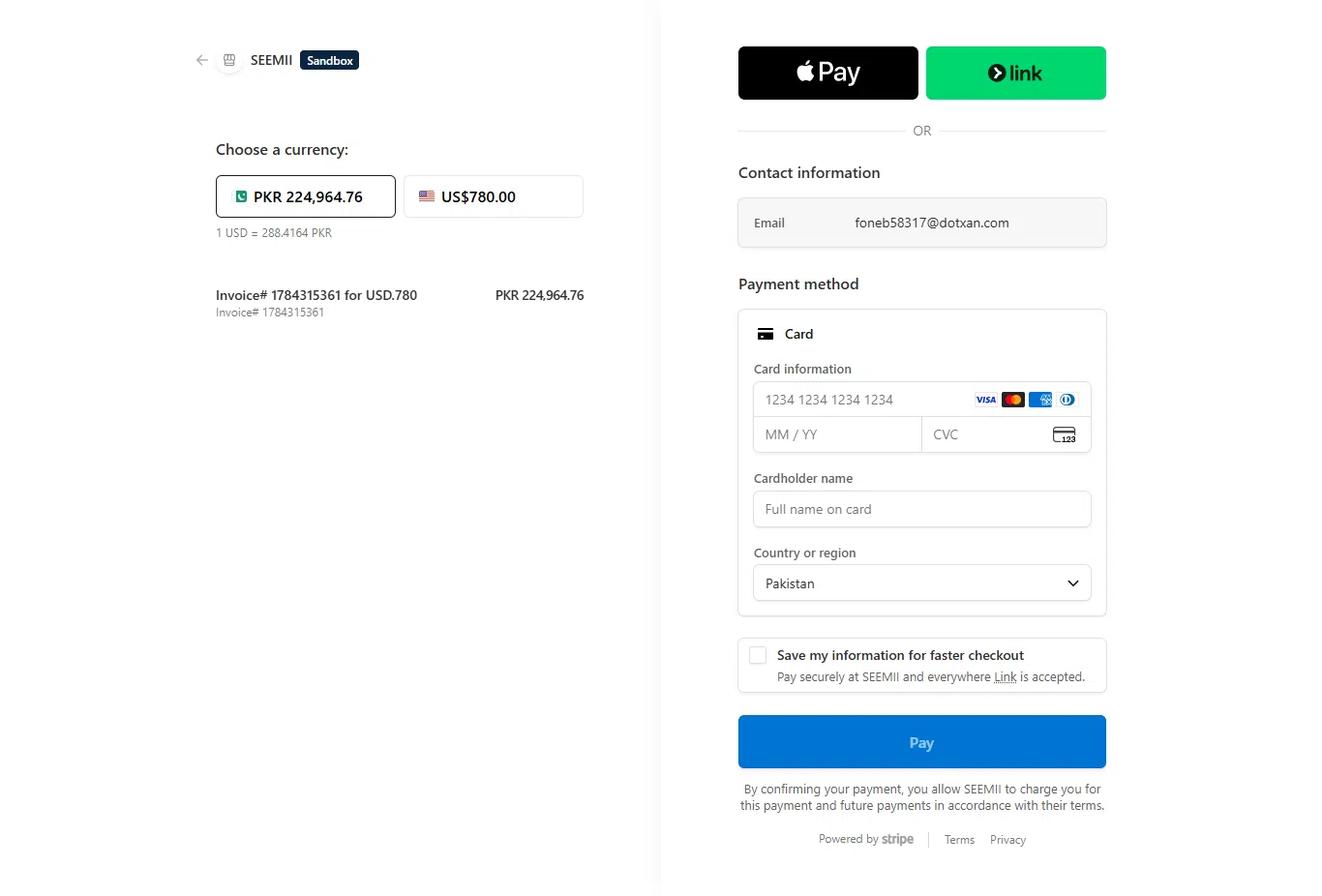
Step 5: Enter Card Details via Stripe
- You’ll be redirected to Stripe’s secure checkout.
- Fill in the following:
Email
Card Number, Expiry Date, CVC
Cardholder Name
Country or Region
(Optional) Check the box to securely save your info for faster checkout next time.
- Click the Pay button to complete the payment.
You’re Subscribed!
After successful payment, you will be redirected back to Seemi CRM.
Your subscription plan is now upgraded and active.
You’ll be billed monthly as per the plan you selected.
Common Questions
Go to Settings → My Plans, review your current plan, and click Upgrade Plan. Follow the prompts to select your new plan and complete payment through Stripe.
Currently, Seemi supports credit card payments through Stripe’s secure checkout.
Yes, all your existing data and settings remain secure and unchanged after the upgrade.
Yes, you can manage or cancel your plan anytime from the My Plans section in your account settings.
Once payment is complete, you’ll be redirected back to Seemi, and your new plan will display as Active with updated billing details.