This step helps you create a lesson package so you can price sessions, define duration, and start billing students properly. Once completed, your onboarding progress updates automatically.
Onboarding Step: Create Your First Package Action Button: Learn More Estimated Time: 1–2 minutes
Step 1: Open Package Settings
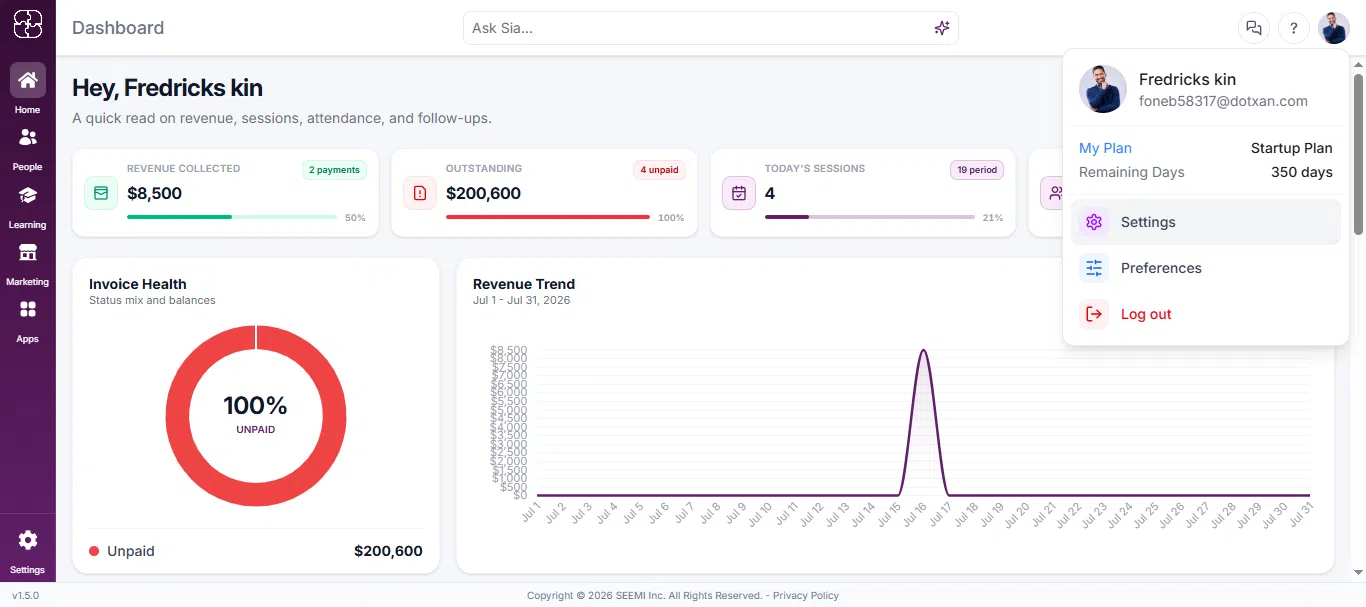
Click your profile icon from the top-right corner of the dashboard and select Settings. From the Settings menu, click Packages.
Step 2: Add a New Package
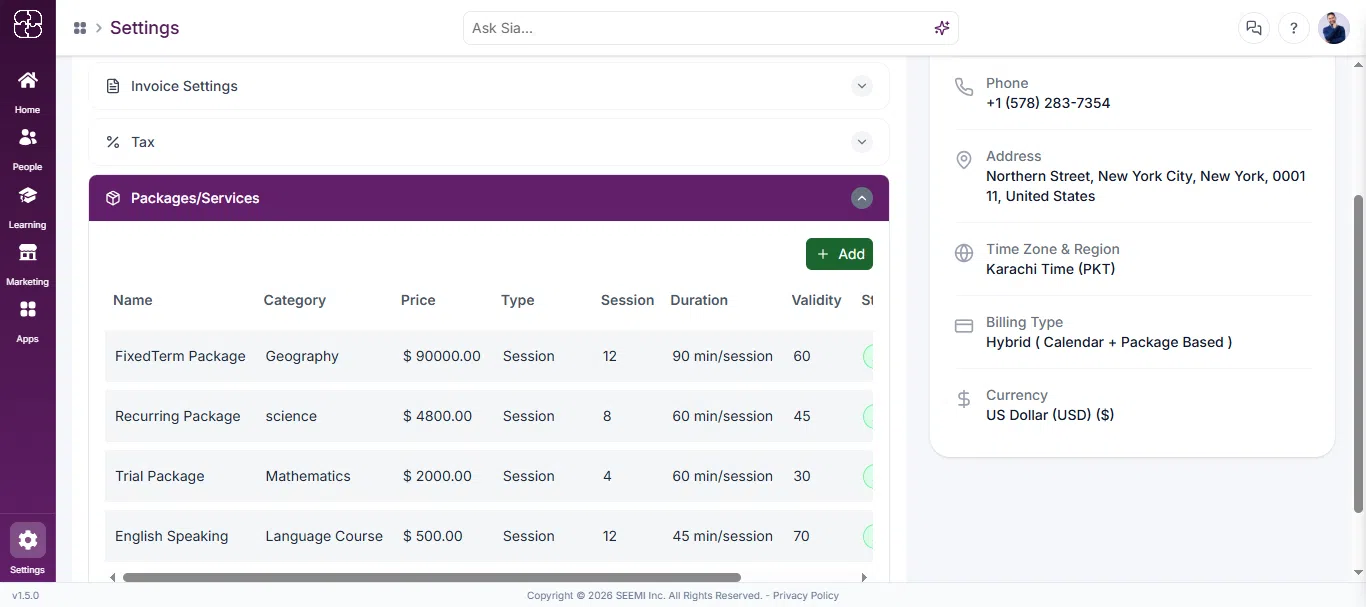
Click + Add Package to create your first package.
Step 3: Enter Required Package Details
Fill in the essential fields needed to create a package:
Package name
Type
Category
Price
Number of sessions
Duration per session
Package validity
Optional options like addons or descriptions can be added later if needed.
Step 4: Save the Package
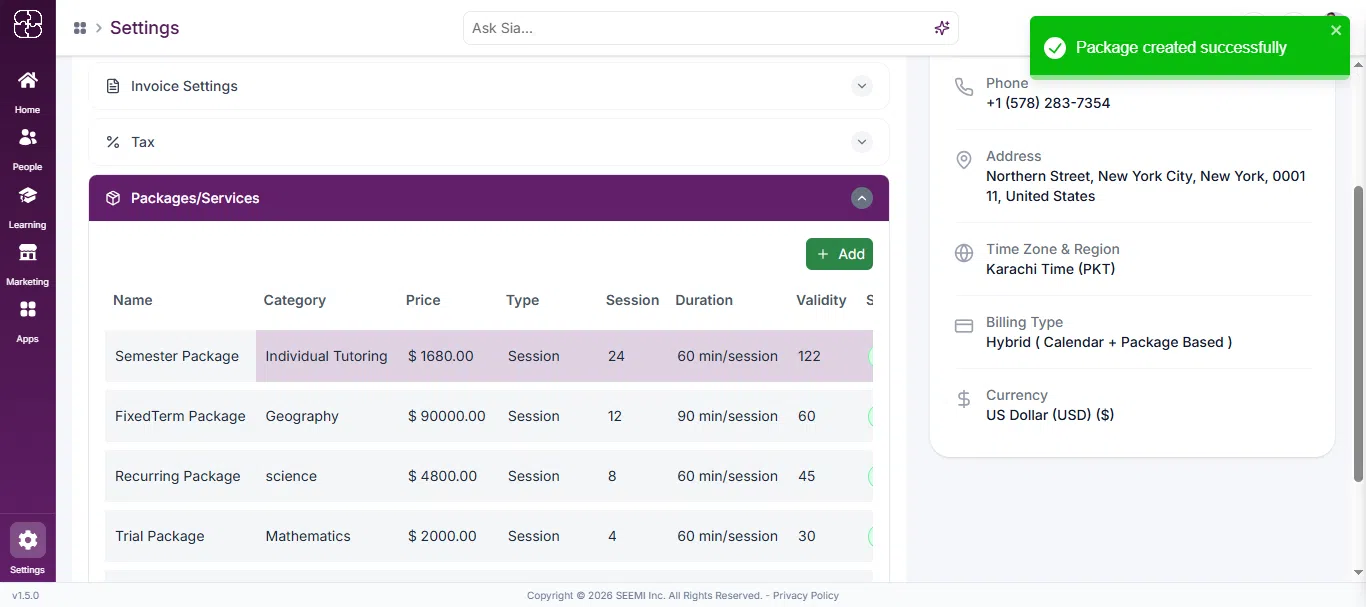
Click Save to create the package.
Completion Update
First package is created
Packages list is updated
This onboarding step is marked as completed
Need Help?
If you need assistance, schedule a call or chat with us for instant support.