
Suggested articles
How to Use Addons
Addons let families purchase extra sessions beyond their package. Configure addon rules at the package level to control pricing and limits.
Step 1: Open Packages
From Settings → Packages, select the package you want to edit to enable addons.

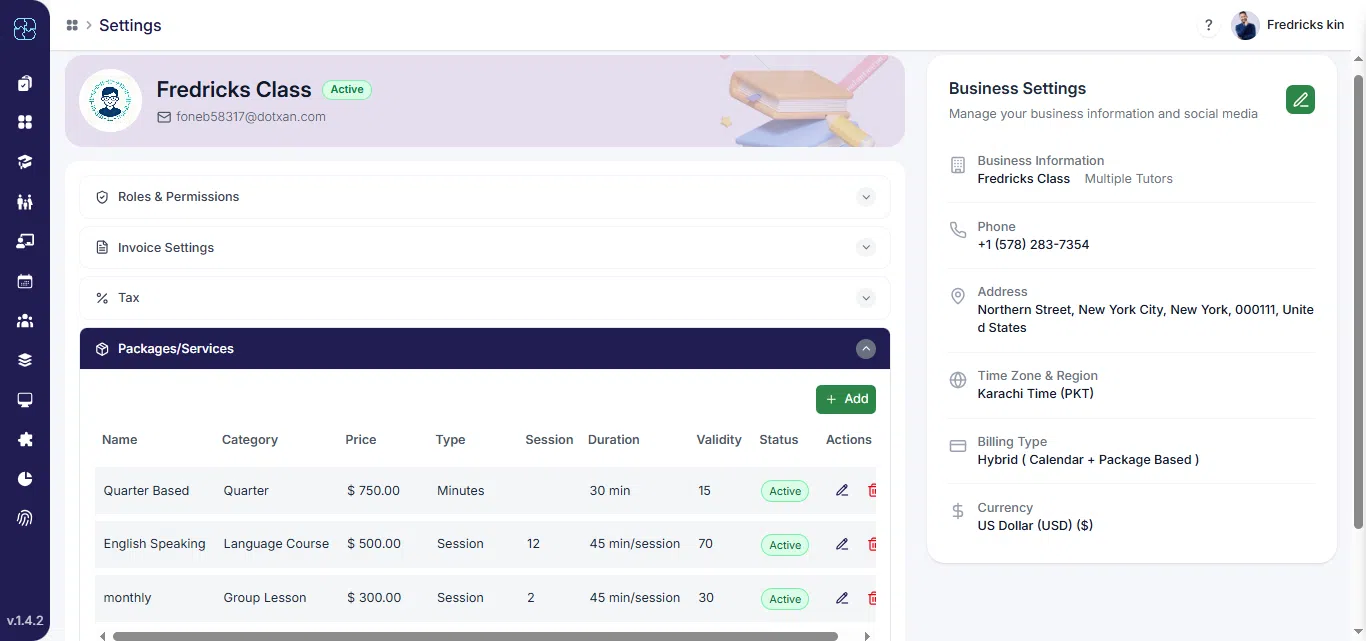
Step 2: Enable Allow Addons
In the package editor, find and toggle Allow Addons to ON so addons are available for purchase.
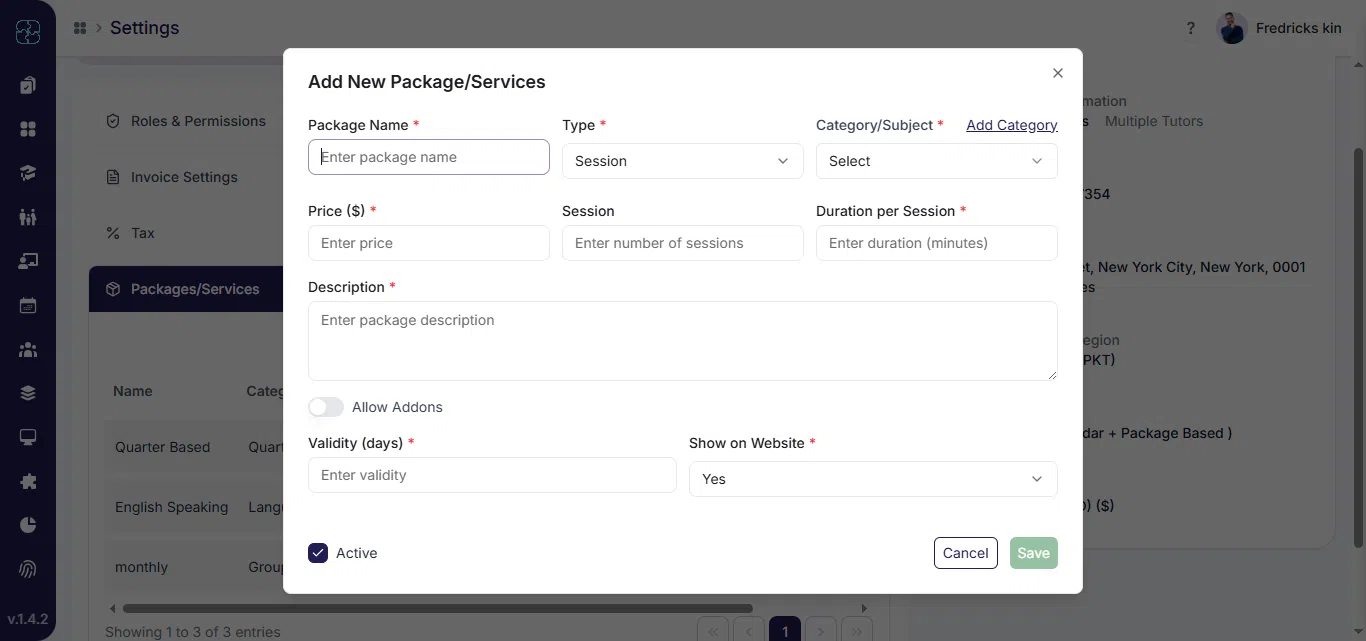
Step 3: Add Invoice with Package
- Enter Max Addons Allowed Sessions and Addon per Session Price. These values control how many extras a family can buy and the cost per extra session.
- Click Save to apply addons configuration. Families will now see addon purchase options during billing or package purchase flows.

Common Questions
What are addons in Seemi?
Addons allow families to purchase extra sessions in addition to their regular package when needed.
How do I enable addons for a package?
Go to Settings → Packages, open the desired package, and switch Allow Addons to ON.
How can I set addon limits and prices?
In the package form, enter values for Max Addons Allowed Sessions and Addon per Session Price, and then click Save to apply changes