
Suggested articles
How to Change Company Billing Type
This tutorial shows how to update the company billing type so invoices and billing behavior match your business model.
Step 1: Access Business Profile
From the left sidebar, click Settings → Business Profile to open your company details page.
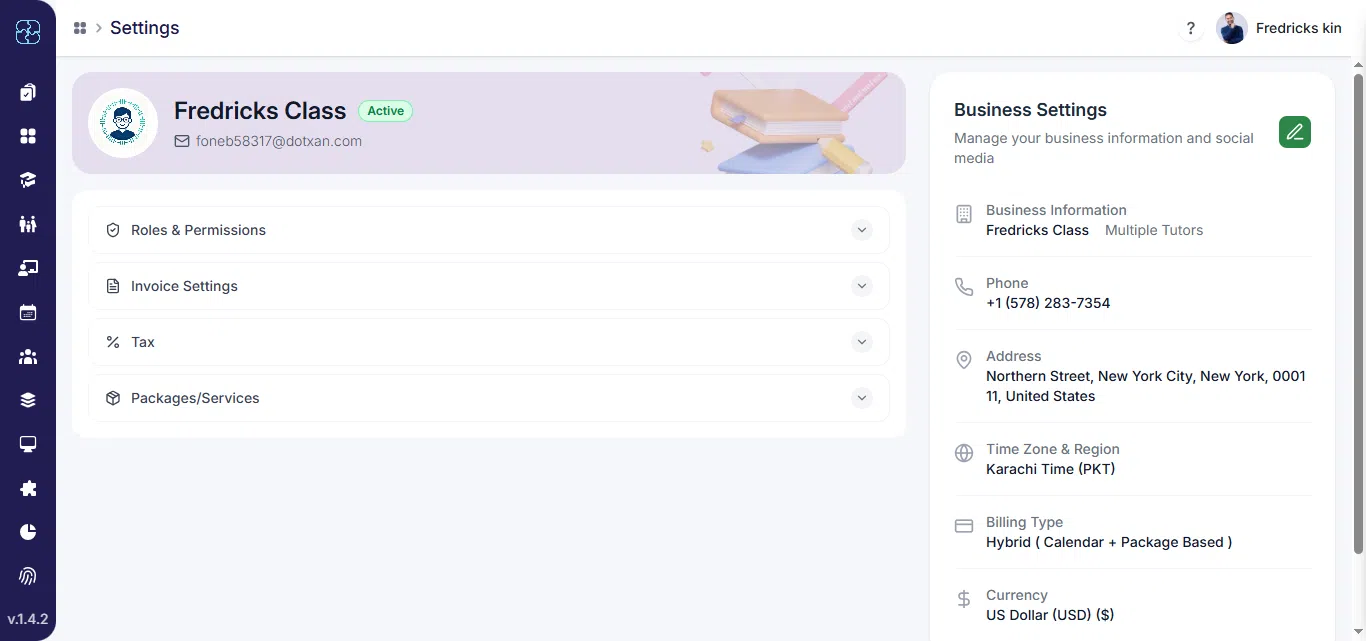
Step 2: Locate Billing Type Section
- Scroll to the Billing Type field where you can see available billing options: Calendar Based, Package Based, Hybrid (Calendar + Package).
- Select the desired billing type from the dropdown. Choose Calendar Based, Package Based, or Hybrid depending on how you bill clients.
- Click update to apply changes. The new billing type will take effect for future invoices and billing processes.

Common Questions
What are the available billing types in Seemi?
You can choose from three options: Calendar Based, Package Based, or Hybrid (Calendar + Package) depending on how your company manages billing
Will changing the billing type affect existing invoices?
No, the update only applies to future invoices and billing processes. Existing invoices will remain unchanged.
Where can I update the company billing type?
Go to Settings → Business Profile, scroll to the Billing Type section, select the new option, and click Update to save changes.