
Suggested articles
How to Create Package
The Package module helps you set up and manage lesson packages for different classes. Add details like name, category, price, sessions, and duration to organize your courses easily.
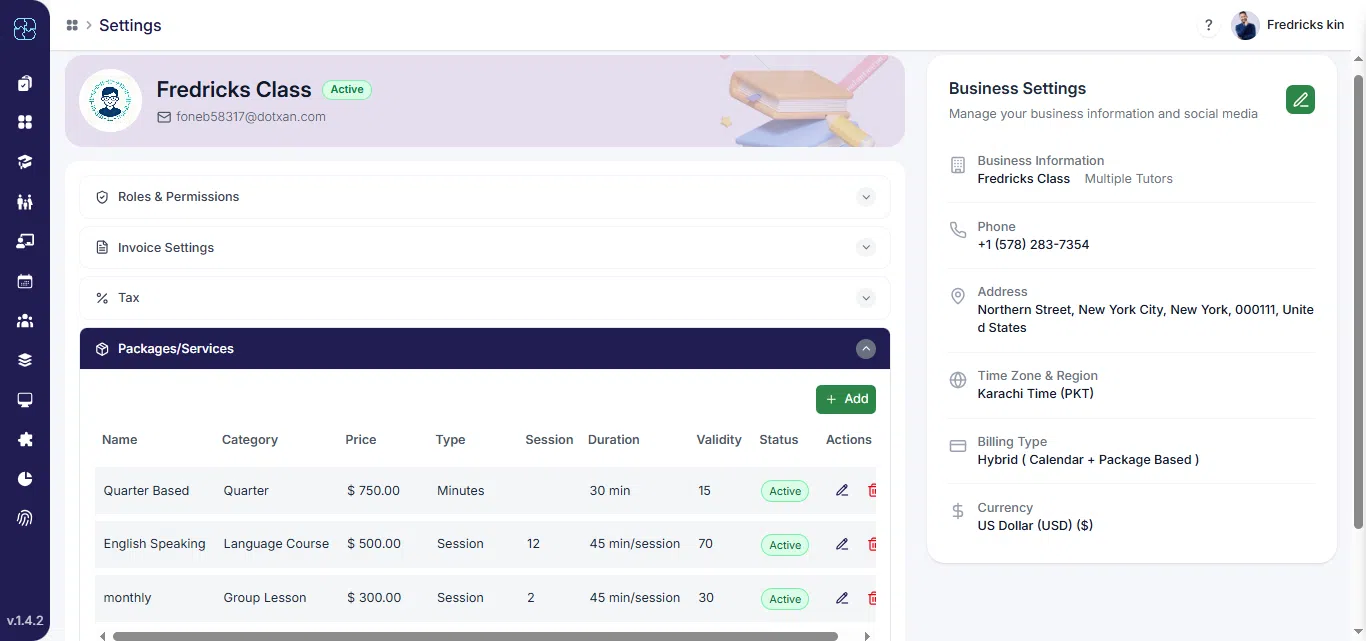
Step 1: Navigate to Package Settings
- On the top-right corner, click your profile icon, and then select Settings.
- Click Packages.

Step 2: Add or Edit a Package
Click + Add Package to create a new package, or select an existing one to edit.
Step 3: Fill in Package Class Information
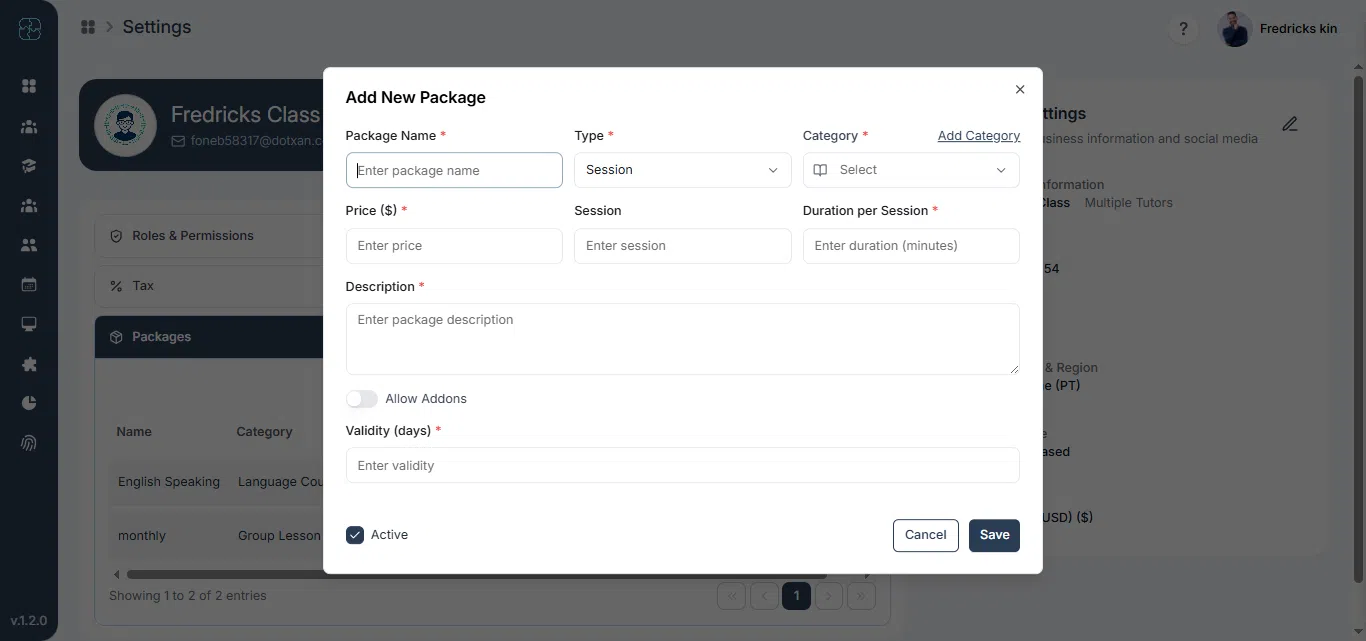
Enter the following details in the package form:
- Package Name
- Type
- Category
- Price
- Sessions
- Duration per Session
- Description
- Allow Addons
- Max Addons Allowed Sessions
- Addon Per Session Price
- Validity (Days)
- Active
Step 4: Save and Review
- Click Save to create the package or Cancel to discard changes.
- Your new package will now appear in the package list.
Common Questions
You need to add the package name, type, category, and price, number of sessions, duration, and validity. Optional fields like addons and descriptions can also be included.
Yes. Open Settings → Packages, select the package you want to edit, make your changes, and click Save to update it.
In the package form, enable Allow Addons, set the maximum number of addon sessions, and define the Addon Per Session Price if needed.
Once you click Save, your package will appear in the list under Packages, ready to assign to students or include in billing.