
How to Use Tutor Availability Module
The Tutor Availability module helps you define and manage when tutors are available for bookings. You can add availability slots, set time ranges, choose platforms, and enable online booking to ensure a smooth scheduling process for both tutors and students.
Step 1: Open Tutor Profile
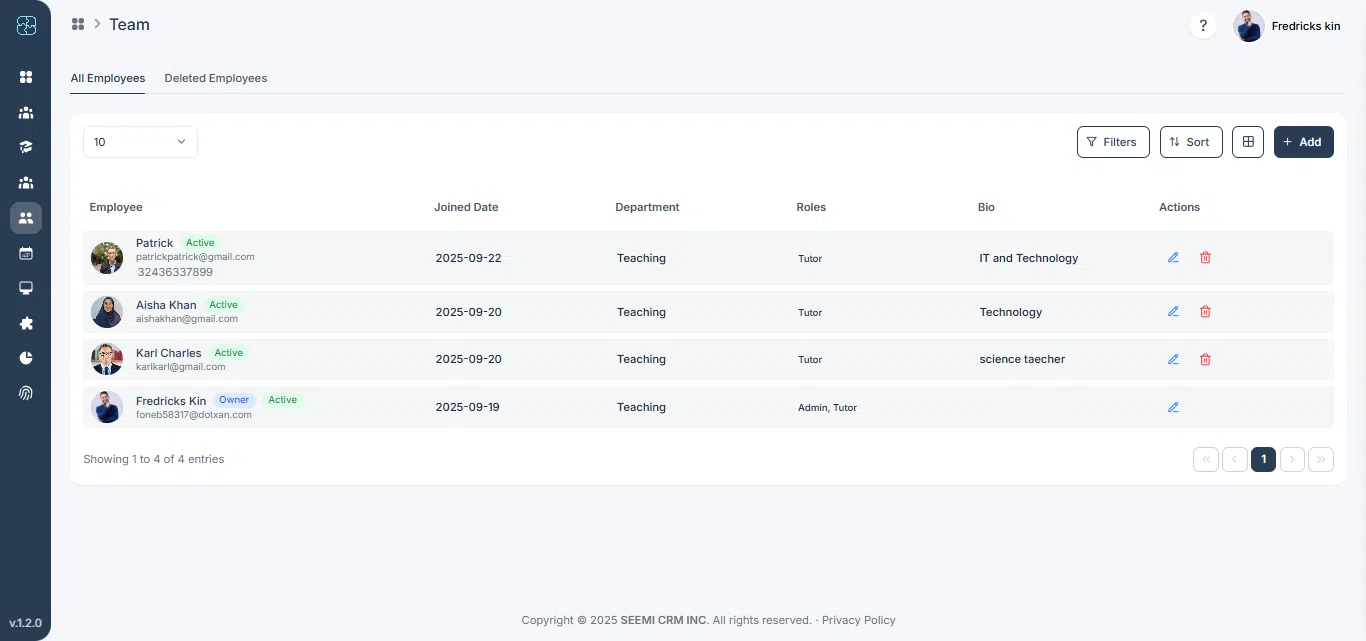
From the left sidebar, click Team, then select the tutor you want to manage.
Step 2: Go to Availability Tab
Click on the Tutor Availability tab in the profile.

Step 3: Add Availability Slots
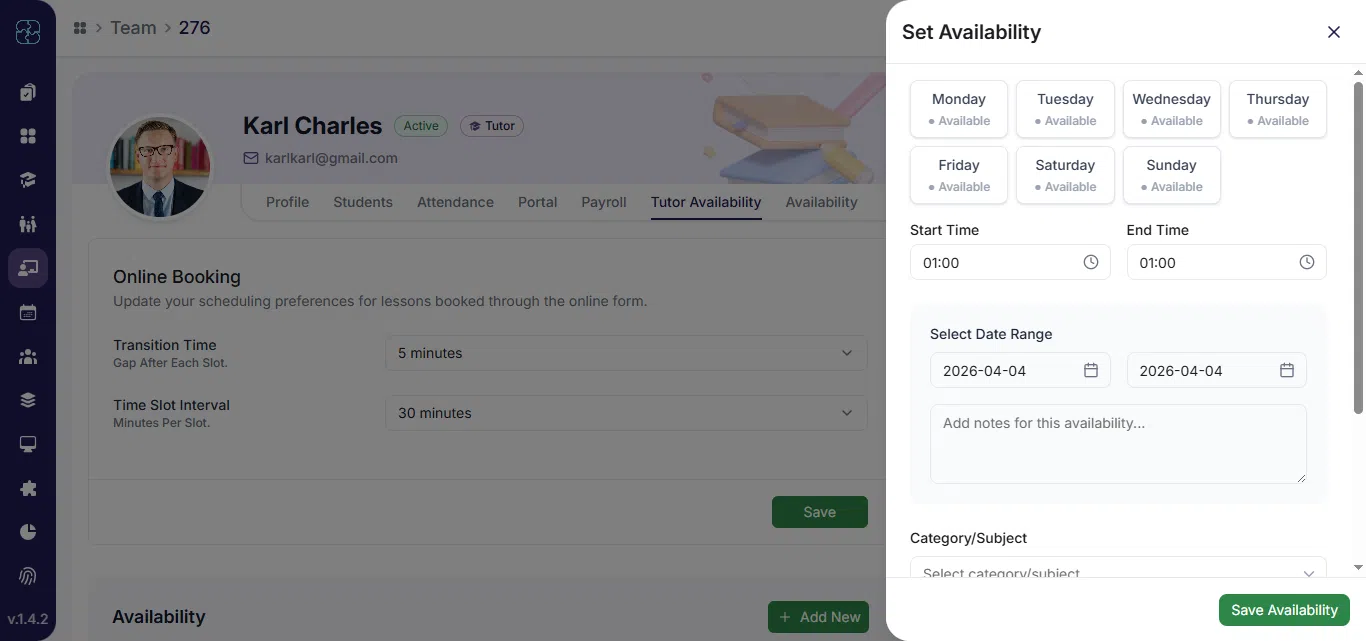
Click + Add New and enter the details:
- Day(s)
- Start Time and End Time
- Date Range (From–To)
- Notes (optional)
- Platforms (if applicable)
You can also enable Online Booking and adjust buffer time if needed.
Step 4: Save Availability
- Click Save Availability.
- The tutor’s schedule will appear on the calendar and be visible to students for booking.
Common Questions
Go to Team → Tutor Profile → Tutor Availability tab, then add or edit time slots based on the tutor’s schedule.
Yes, you can choose specific days, start and end times, and even define date ranges for flexible scheduling.
When Online Booking is turned on, students can directly book lessons within the tutor’s available time slots.
Use the Buffer Time option in the availability form to add short breaks between consecutive sessions.
Yes, once saved, all available slots appear on the calendar and become visible for student bookings.